
 |
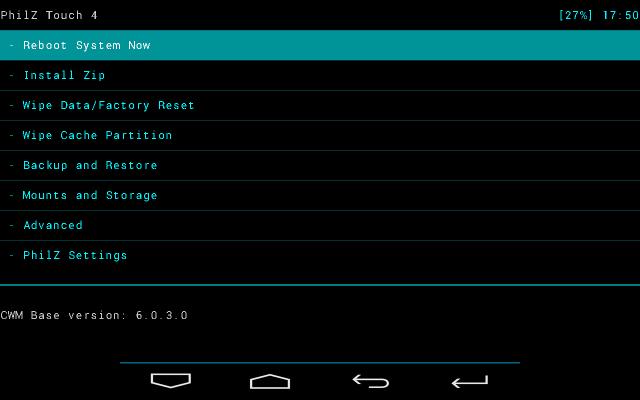
| ClockWorkMod. Image courtesy: XDA Developers Forum |
Recovery is a bootable partition of Android operating system and where lot of repairing tools available. We can compare recovery with BIOS in computer. ClockworkMod recovery is an alternative recovery for stock Android. It can give lot of options rather than stock Android recovery.
Installation of CWM (ClockworkMod) recovery using other tools (e.g) ADB and Fast Boot tool) seems difficulty for new kids in Android arena. CWM allows backup and restore of stock ROM. Using CWM user can update/replace stock Android and install other custom ROM like Cyanogenmod.
Flashify is a user friendly application to assist in various recovery tools like CWM and TWRP. No need to apply various buttons and commands to install CWM recovery.
1. Root your phone using tools like King Root. You can't use Flashify without rooting your device.King Root can unlock most of the phone. If King Root can't root your phone, find other methods. Make a search in Google and find alternative tools to root your phone.
2. Install Flashify from Google Play
3. Find and Download recovery image suitable with your phone. Make a search in Google to find apt recovery.img file for your Android phone. Save recovery.img file in your memory card of mobile.
4. Open Flashify application > Find Recovery Image

5. Find and Choose recovery.img from memory card.


6. Proceed with instructions. In the final, Flashify allow to reboot into recovery mode.


